
A Guide to Smart Locks: Convenience vs. Home Vulnerabilities
By Kalkee Editorial Staff
Updated July 4, 2026 • Verified by Industry Experts
The Convenience of Keyless Entry
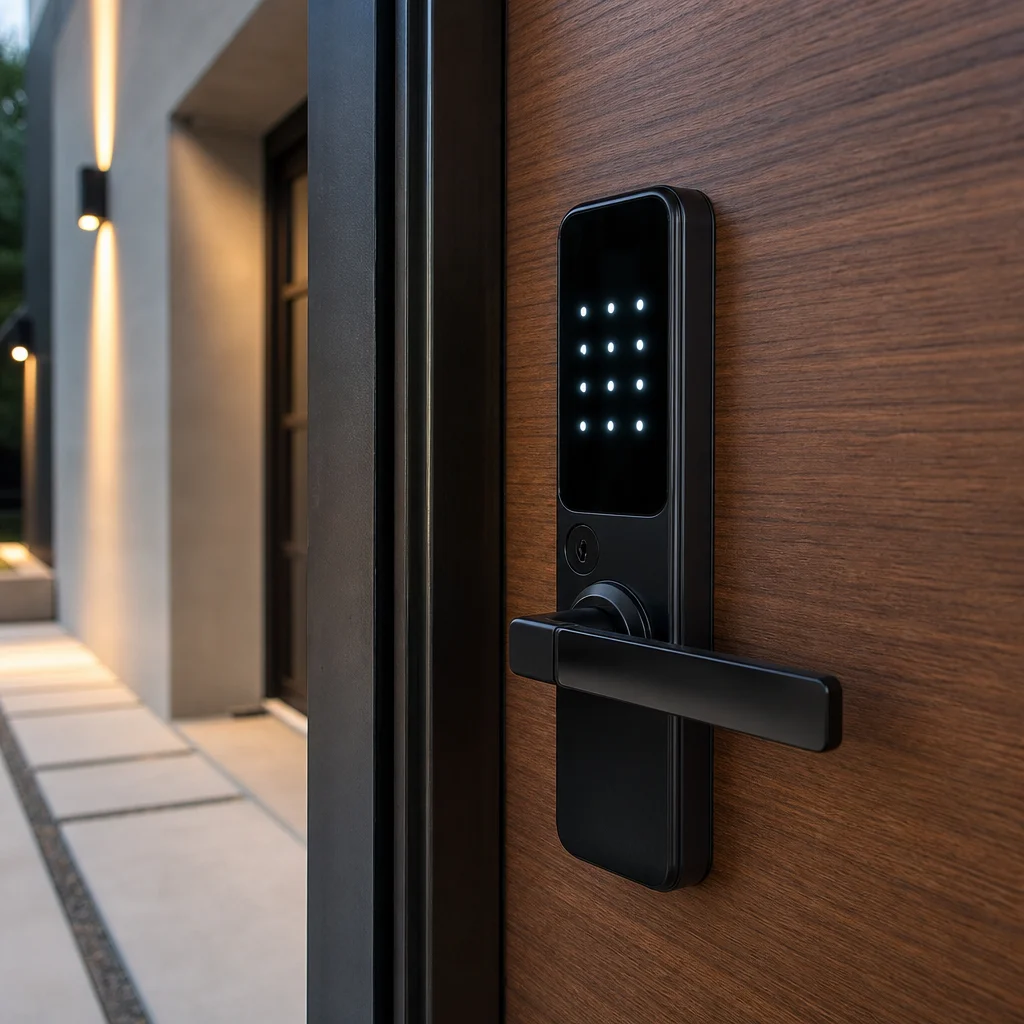
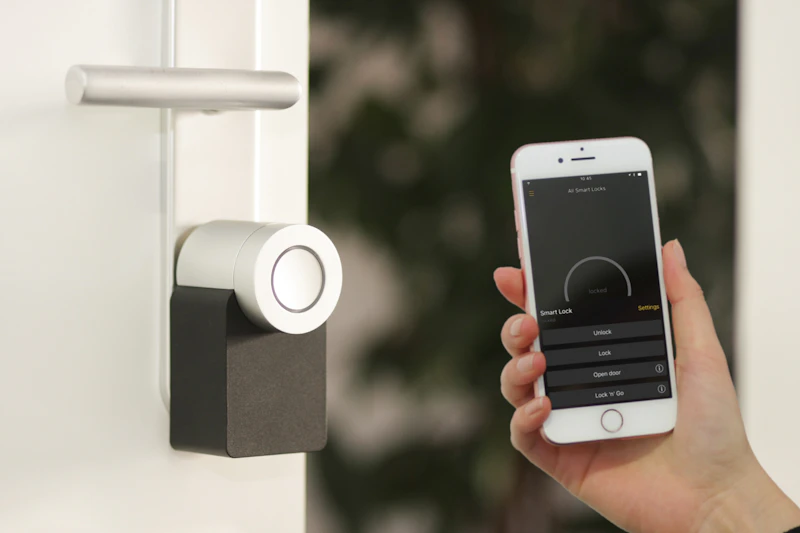
Fumbling for house keys in the dark is a hassle. Smart locks offer convenient keyless entry via smartphone apps, keypad codes, fingerprint scanners, or auto-unlock geofencing. As essential smart home devices, they integrate with broader home security systems to automate entry and track guest access. Whether you want to let in a housekeeper while you are at work, check if the front door is locked from your bed, or receive notifications when your kids get home from school, a smart lock provides unparalleled daily convenience.
Beyond convenience, smart locks are the cornerstone of a modern home security network. They allow you to create temporary access codes for contractors, monitor who enters and exits in real-time, and eliminate the risk of lost or stolen physical keys. This guide details everything you need to know about smart lock safety, installation, and integration.
Think about the last time you were juggling groceries, a briefcase, and a coffee cup while trying to unlock your door. A smart lock eliminates that struggle entirely. With a simple tap on your phone or a quick code entry, you are inside without breaking your stride. For families, the ability to assign unique codes to each member means you can see exactly when your teenager arrives home from school or when the babysitter leaves. You can even set time-limited codes for guests, so the dog sitter only has access during the hours you specify. This level of control transforms your front door from a simple barrier into a sophisticated access management system.
Another often overlooked benefit is the peace of mind that comes from never worrying about lost keys. If you have ever had to hide a spare key under a rock or ask a neighbor to hold onto a copy, you know the security risks involved. Smart locks remove those vulnerabilities entirely. You can grant access remotely from anywhere in the world, so if a family member forgets their code, you can unlock the door with a single tap on your smartphone. This flexibility makes smart locks an indispensable tool for modern living, blending security with effortless convenience.

Analyzing Smart Lock Security Standards
Many homeowners worry that smart locks are vulnerable to digital hacking. To evaluate smart lock security, check the lock's encryption standards. Look for brands that use 128-bit or 256-bit AES encryption (the same standard used by banks and military systems). Additionally, ensure the lock has a high ANSI/BHMA rating (Grade 1 is the strongest, typically used for commercial properties, while Grade 2 is the standard for residential homes). A secure smart lock should also feature dual-factor authentication and auto-lock timers to prevent unauthorized entry.
In addition to software safety, consider the physical locking mechanism. A smart lock is only as strong as the deadbolt itself. Look for smart locks that feature solid steel deadbolts and tapered designs that resist prying or drilling attacks. Buying a lock with a built-in alarm that sounds if someone attempts to tamper with the keypad adds another layer of security to your front door.
When you are shopping for a smart lock, do not just focus on the app features. The hardware matters just as much. A lock with a Grade 1 rating has been tested to withstand thousands of open-close cycles and significant forced entry attempts. The deadbolt should be made of hardened steel, not just zinc or aluminum, to resist cutting and sawing. Some premium models even include anti-pick pins and anti-bump technology in the keyway, adding another barrier against physical attacks. The strike plate is another critical component; upgrading to a reinforced strike plate with 3-inch screws can dramatically increase the force required to kick in your door, making it far more difficult for intruders to gain entry.
On the digital side, look for locks that offer end-to-end encryption. This means that even if someone intercepts the signal between your phone and the lock, they cannot decode it to gain access. Two-factor authentication adds an extra layer of security by requiring a code sent to your phone in addition to your password. Auto-lock timers are a simple but powerful feature; you can set the lock to automatically engage after a certain number of seconds or minutes, ensuring you never accidentally leave your door unlocked when you leave the house. These combined features create a robust defense against both digital and physical threats.
Physical vs. Digital Security Vulnerabilities
While digital hacking is a rare occurrence, physical security remains the most common entry point for burglars. Many smart locks retain a traditional keyway, which means they can still be picked or bumped just like a standard lock. To maximize security, consider a keyless smart lock that completely eliminates the keyway, removing the threat of lock picking. Pair your smart lock with a heavy-duty deadbolt, a reinforced metal strike plate, and long 3-inch screws to secure the door frame against physical kick-ins.
It is also important to secure the wireless connection of your smart lock. Ensure your home Wi-Fi network uses WPA3 encryption and that your smart lock app has a strong, unique password. If your lock uses a Bluetooth connection, make sure you configure a secure PIN. Keeping your lock's firmware updated is crucial to patch any digital vulnerabilities before they can be exploited by hackers.
Physical vulnerabilities are often underestimated. A burglar does not need to hack your Wi-Fi to break in; they can simply use a crowbar on your door frame. That is why reinforcing the door itself is just as important as choosing a high-tech lock. The door should be solid core wood or metal, and the hinges should be secured with long screws that penetrate the studs. The strike plate should be made of heavy-duty metal, not the flimsy aluminum that comes standard with most doors. By upgrading these components, you create a system that is far more resistant to brute force attacks.
On the digital side, the most common vulnerability is weak passwords. Many people use the same password for their smart lock app that they use for other accounts, making them vulnerable to credential stuffing attacks. Always use a unique, complex password for your smart lock app, and enable two-factor authentication if available. Regularly check for firmware updates; manufacturers frequently release patches that fix newly discovered security flaws. If your lock uses Bluetooth, be aware that Bluetooth signals can be intercepted within a range of about 30 feet. To mitigate this, ensure your lock uses Bluetooth 4.2 or higher, which includes improved encryption and privacy features. By addressing both physical and digital vulnerabilities, you create a comprehensive security strategy that protects your home from all angles.
Smart Lock Reviews: Top Connection Protocols
When reading smart lock reviews, compare connection protocols: Wi-Fi, Bluetooth, or Z-Wave/Zigbee. Wi-Fi locks connect directly to your router for easy remote control but drain batteries quickly (lasting 3 to 6 months). Bluetooth locks have excellent battery life (lasting 1 year) but require you to be near the door to unlock it unless you buy a separate Wi-Fi bridge. Z-Wave locks are highly secure and energy-efficient but require a compatible smart home hub (like Samsung SmartThings) to operate.
Each protocol has its own strengths and weaknesses, and the best choice depends on your specific needs. Wi-Fi locks are ideal if you want to control your lock from anywhere without additional hardware. They integrate seamlessly with voice assistants like Alexa and Google Assistant, allowing you to lock or unlock your door with a simple voice command. However, the constant Wi-Fi connection drains batteries faster, so you will need to replace them more frequently. Some Wi-Fi locks offer a low-battery warning and even allow you to unlock the door with a backup key or a 9-volt battery in an emergency.
Bluetooth locks are perfect for those who prioritize battery life and do not need remote access often. They are typically more affordable and easier to install than Wi-Fi models. The trade-off is that you need to be within Bluetooth range (usually about 30 feet) to control the lock. If you want remote access, you can purchase a separate Wi-Fi bridge that connects the lock to your home network. This setup gives you the best of both worlds: long battery life when you are home and remote access when you are away.
Z-Wave and Zigbee locks are the most secure and energy-efficient options, but they require a smart home hub to function. These protocols create a mesh network that is highly reliable and resistant to interference. If you already have a smart home hub for other devices, a Z-Wave lock is an excellent choice because it can integrate with your existing automation routines. For example, you can set your lights to turn on when the door unlocks or your thermostat to adjust when you leave. The hub also handles firmware updates and security patches, reducing the burden on the lock itself. While the initial setup is more complex, the long-term benefits in terms of security and automation are significant.
Integrating Smart Locks with Home Security Systems
For maximum safety, integrate your smart lock with your home security system. Configure your system to automatically disarm the alarm when you enter your fingerprint on the deadbolt, or lock the door automatically when the security system is armed. In case of an emergency (such as a fire alarm trigger), you can program the smart lock to unlock the front door automatically, allowing family members to exit quickly and enabling emergency responders to enter without damaging your property.
Integration goes beyond simple automation. When your smart lock is connected to your security system, you can create sophisticated routines that enhance both convenience and safety. For example, you can set your system to send you a push notification if the door is left unlocked for more than five minutes, or to automatically lock the door at a specific time each night. Some systems allow you to create "away" modes that lock all doors, arm the alarm, and adjust the thermostat simultaneously when you leave the house.
In the event of a break-in, an integrated system can trigger multiple responses. The alarm sounds, the lights flash, and the smart lock can be programmed to lock automatically to prevent the intruder from escaping with stolen items. Some systems even allow you to remotely lock or unlock the door from the security panel or app, giving you control even if you are not at home. This level of integration turns your smart lock from a standalone device into a critical component of a comprehensive home security strategy.
For families with children or elderly members, integration provides an extra layer of safety. You can set up notifications that alert you when the door is opened during school hours or late at night. If a child comes home early, you can receive an instant alert and even view a live camera feed to confirm their identity. In an emergency, the ability to unlock the door remotely can be a lifesaver, allowing first responders to enter without breaking down the door. By integrating your smart lock with your security system, you create a responsive, intelligent home that adapts to your needs and keeps your family safe.